Frozen-screen selection
- Show & Tell
- Exact-frame crop before selection
- macOS built-in
- —Not included
Native · Apple silicon · macOS 26 Tahoe or later
Show & Tell is a screenshot & screen-recording studio that feels like it shipped with your Mac — instant capture, a beautiful annotation editor, and AI background removal that never leaves your machine.
Apple silicon · macOS 26+ · On-device · No app account or cloud
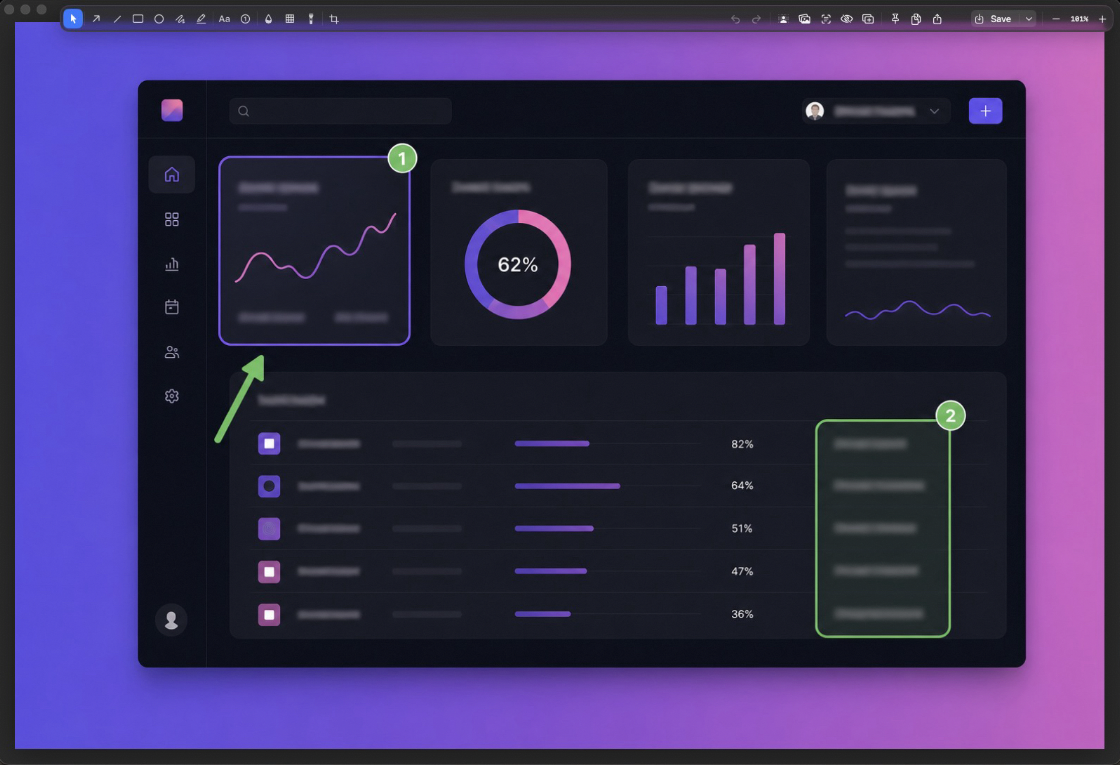
The screen freezes the instant the overlay appears — what you frame is exactly what you get.
The toolkit
Area, window, fullscreen, scrolling, text, or video — the All-in-One overlay switches modes live, before you commit.
The screen freezes the instant you press the hotkey, so you select from that exact frame. The overlay never photobombs your own shot.
Drag a window across the desk — or to another display — and the recording keeps the selected window framed.
Captures slide into a glass stack in the corner. Drag them into any app, or hover to copy, edit, pin, or delete.
Every capture is OCR-indexed in the background. Search for the text inside your screenshots — not just filenames.
Point at any region and lift the text — or a QR code's payload — straight to your clipboard. Multi-language.
Scroll naturally; frames are stitched with Vision registration. Whole pages, threads, and timelines in one image.
Float a capture above every window. Scroll to fade it, ⌘-scroll to resize, double-click to dismiss.
Keep using the menu bar and shortcuts, or open the Dock app for a labeled control panel that launchers and AI computer-use tools can discover and drive.
The editor
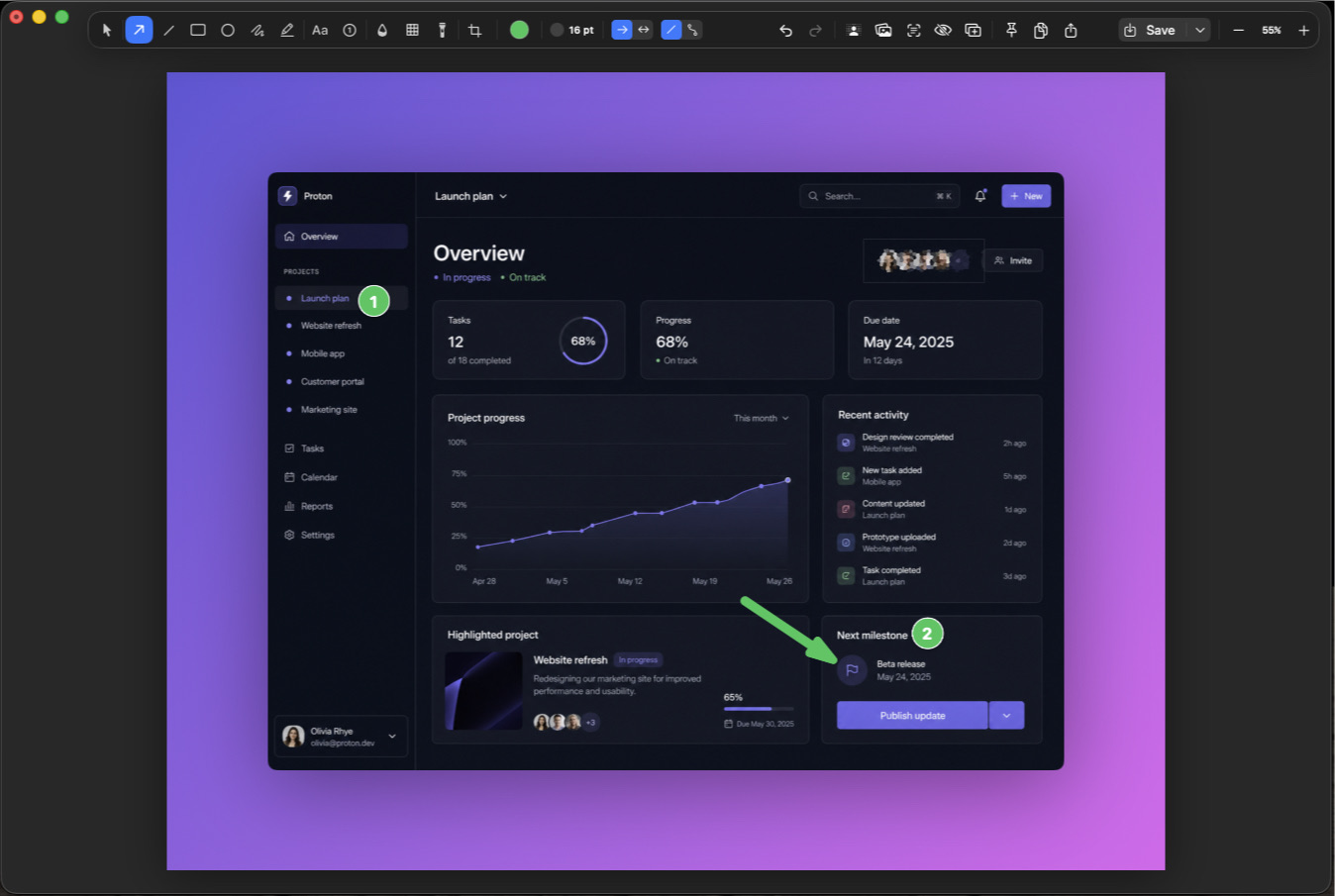
Arrows, shapes, text, counters, highlights, and redaction — every tool one key away, every mark editable until the moment you export.
Annotations are vectors above the bitmap. Move, restyle, or delete any mark at any point — nothing is baked in until export.
One renderer draws the canvas and the exported file. What you see is what you ship — not a close approximation of it.
Blur or pixelate sensitive details in the flattened export, plus a spotlight to dim everything but your point.
The Backgrounds tool wraps any capture in a gradient backdrop with padding, rounded corners, and a soft shadow. Share-ready without leaving the editor.
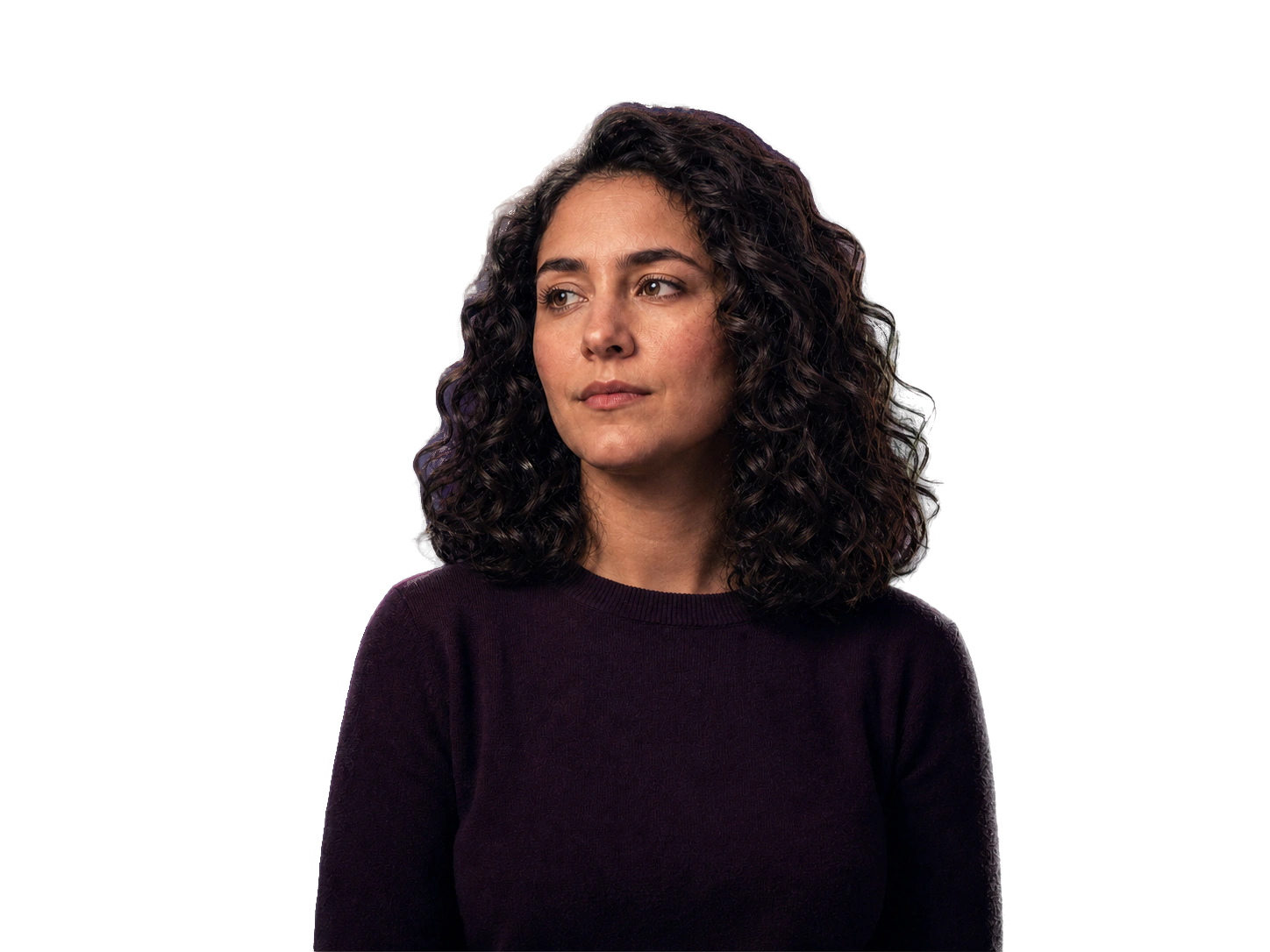
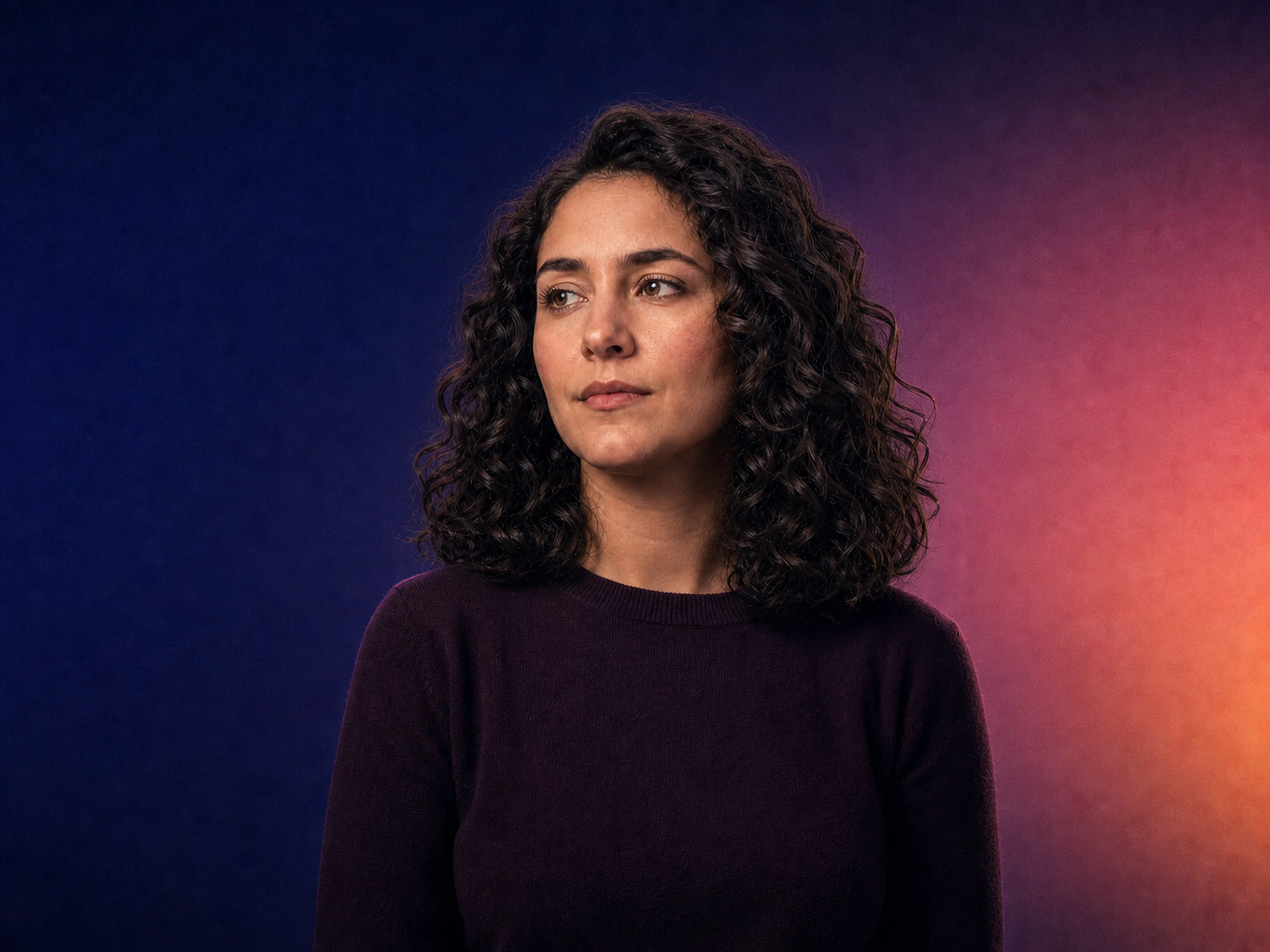
Drag the handle — compare the original with the on-device cutout.
On-device AI
Background removal that stays on your Mac, with an edge-aware brush that follows image detail instead of the stroke shape.
Vision's segmentation model lifts the subject on the Neural Engine. The image never leaves your Mac.
Refinement strokes don't paint the matte — they re-solve it against the actual image. Edges follow hair and antialiasing instead of your brush shape, updating in real time as you brush.
Feather and expand/contract controls, a red quick-mask overlay, hold-to-compare, and per-stroke undo.
Export a transparent PNG, or chain straight into the Backgrounds tool for a drop-shadowed, gradient-backed hero shot.
Works on any image on your clipboard, too:⌘⌥⇧B
Recording
Recordings that look deliberate — because you composed them before pressing the button, and the window you're recording can't escape the frame.
An armed setup stage shows the whole composition live — webcam bubble, audio sources, region — before a single frame is captured.
H.264 or HEVC written straight to disk by ScreenCaptureKit. When you stop, the file is ready.
Built-in, USB, or iPhone Continuity Camera — switch live, then zoom and reframe with a drag. Pause and resume merge losslessly.
System audio and any microphone, cursor and click-highlight rings, and an opt-in keystroke HUD for tutorials.
Trim the ends without re-encoding — no quality loss — or export a GIF with fps and width controls.
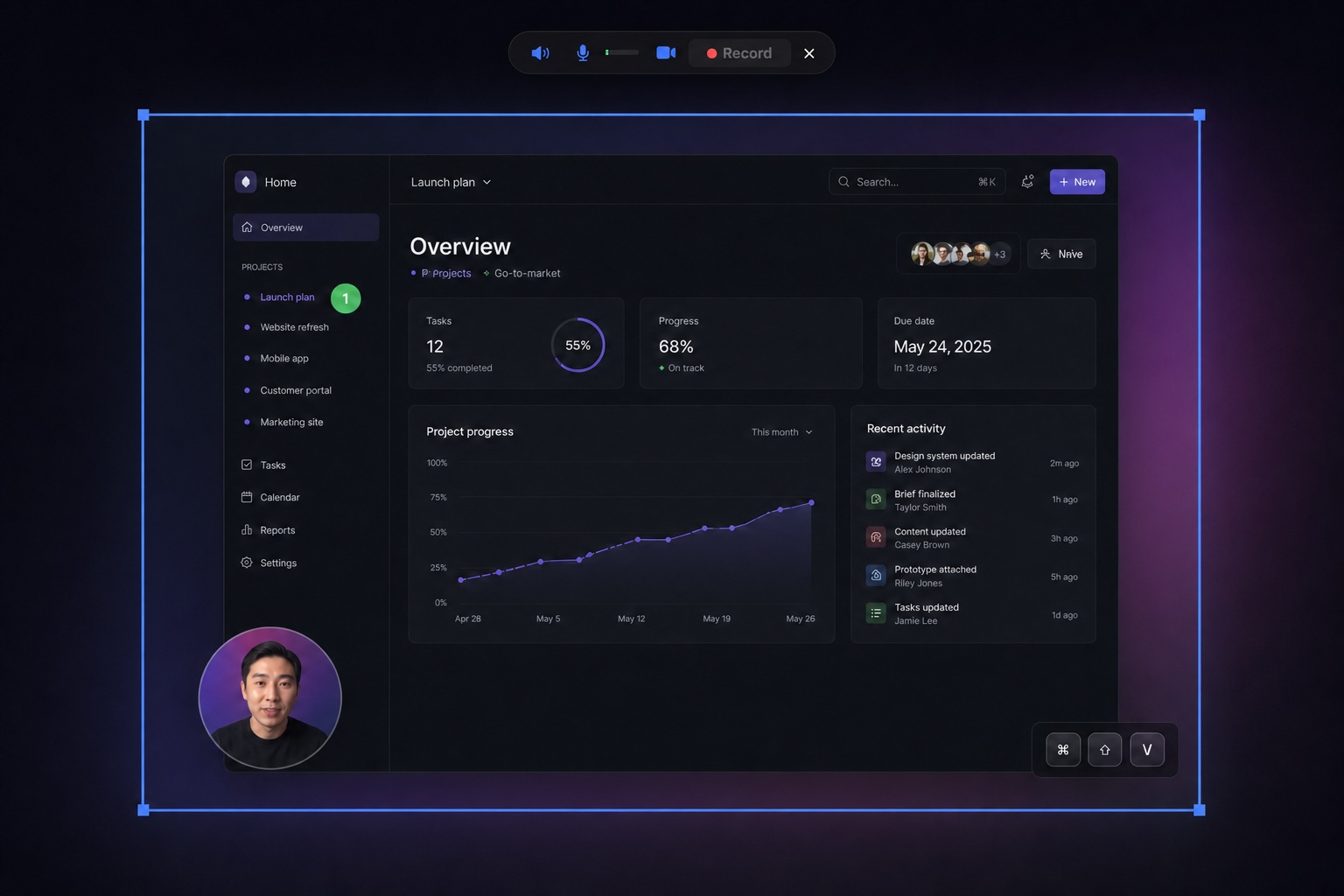
Recording a window? It stays framed as you drag it — even to another display.
Shortcuts
Every capture mode has a global hotkey — and every hotkey is rebindable in Settings.
Screenshots can contain contracts, dashboards, and DMs. Capture, recording, OCR, search indexing, and background removal stay on your Mac; no capture data is uploaded.
Capture, recording, OCR, search indexing, and background removal stay on your Mac. No capture data is uploaded.
Use the 7-day trial without an account. Enter an email only for a Founder license and early-access updates; there is nothing to sign into in the app.
The app sends no usage telemetry. Its only network connection checks for cryptographically signed updates.
Native Swift · Zero Electron · No usage telemetry · Signed update checks only
The honest comparison
The built-in tools are fine for a quick grab. Show & Tell is for when the screenshot has a job to do.
FAQ
Show & Tell requires Apple silicon and macOS 26 Tahoe or later. It is built around the newest capture and AI APIs Apple ships.
Capture, recording, OCR, search indexing, and background removal stay on your Mac. No capture data is uploaded, and the app sends no usage telemetry. Its only network connection checks for cryptographically signed updates.
New installs include a 7-day trial. During early access, enter your email for a free Founder license — yours forever, including future updates. No app account required.
Screen Recording — that's the one requirement, and macOS asks once. Microphone and camera are only requested if you turn them on for a recording, and the keystroke HUD's Accessibility permission is strictly opt-in.
Every shortcut is rebindable in Settings, and captures can route to the shelf, the editor, the clipboard, or straight to disk with custom filename templates.
Four things set Show & Tell apart: the screen freezes before you select, recordings track a chosen window across displays, the background-removal brush follows image detail instead of the stroke shape, and dedicated history searches the text inside your screenshots.
Get Show & Tell and a free Founder license in one step — the download starts as soon as you hit the button.
Prefer to stay anonymous? Just download the 7-day trial.
Requires Apple silicon · macOS 26 Tahoe or later · 7-day trial · Free Founder license during early access